Commanding from a Device
The network page is read-only: it shows the reading and nothing else. This is the other door — the one that lets a phone, a tablet or a spare laptop run the show.
Turning it on
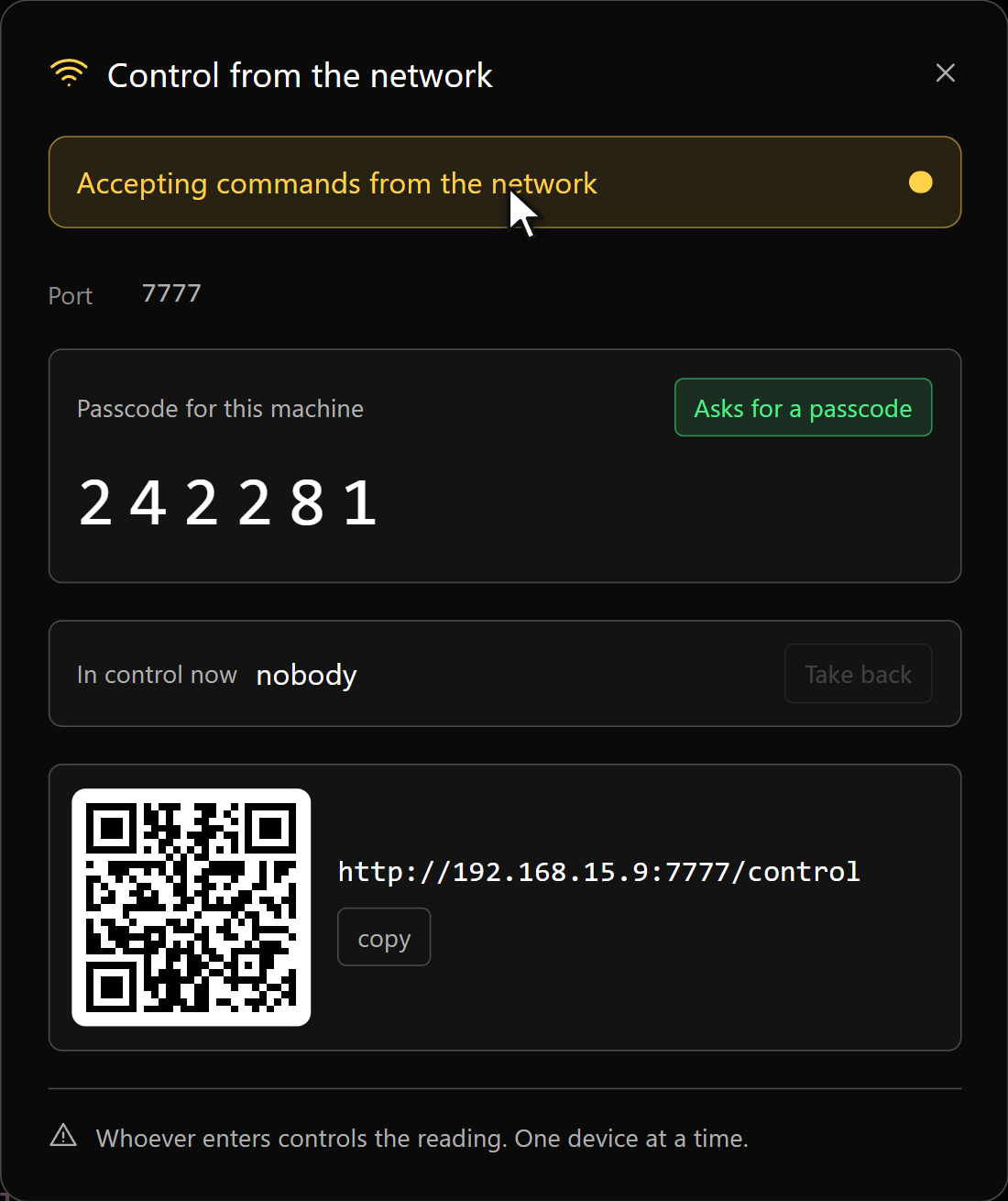
The Control key sits in the Editing footer, next to Monitor. Switch it on and the panel gives you an address ending in /control, a QR code, and a six-digit passcode.
The reading page comes on with it — the desk shows a live pane of what the presenter is reading. Audio to the network stays closed until you open it from the desk. Turning Control off again leaves the reading page on; someone may still be reading from it.
The passcode
On by default, six digits, drawn fresh every time you switch Control on. Five wrong tries and the door shuts until you turn the switch off and on again. You can turn the passcode off — the panel says so in red while it is off — which is a reasonable choice in a closed studio and a bad one on hotel wi-fi.
One device at a time
Any number of devices can open the link; only one holds the pen. Whoever holds it is named on the operator's footer. The others see the desk — the script, the pace, what is on air — with the keys dimmed and a button to take over when it is free.
Take back in the panel returns the pen to the desk at once — the machine in the room with the show on it always wins. And a device that goes quiet for twenty seconds releases the pen on its own, so one that walked out of range never locks the show.
The desk
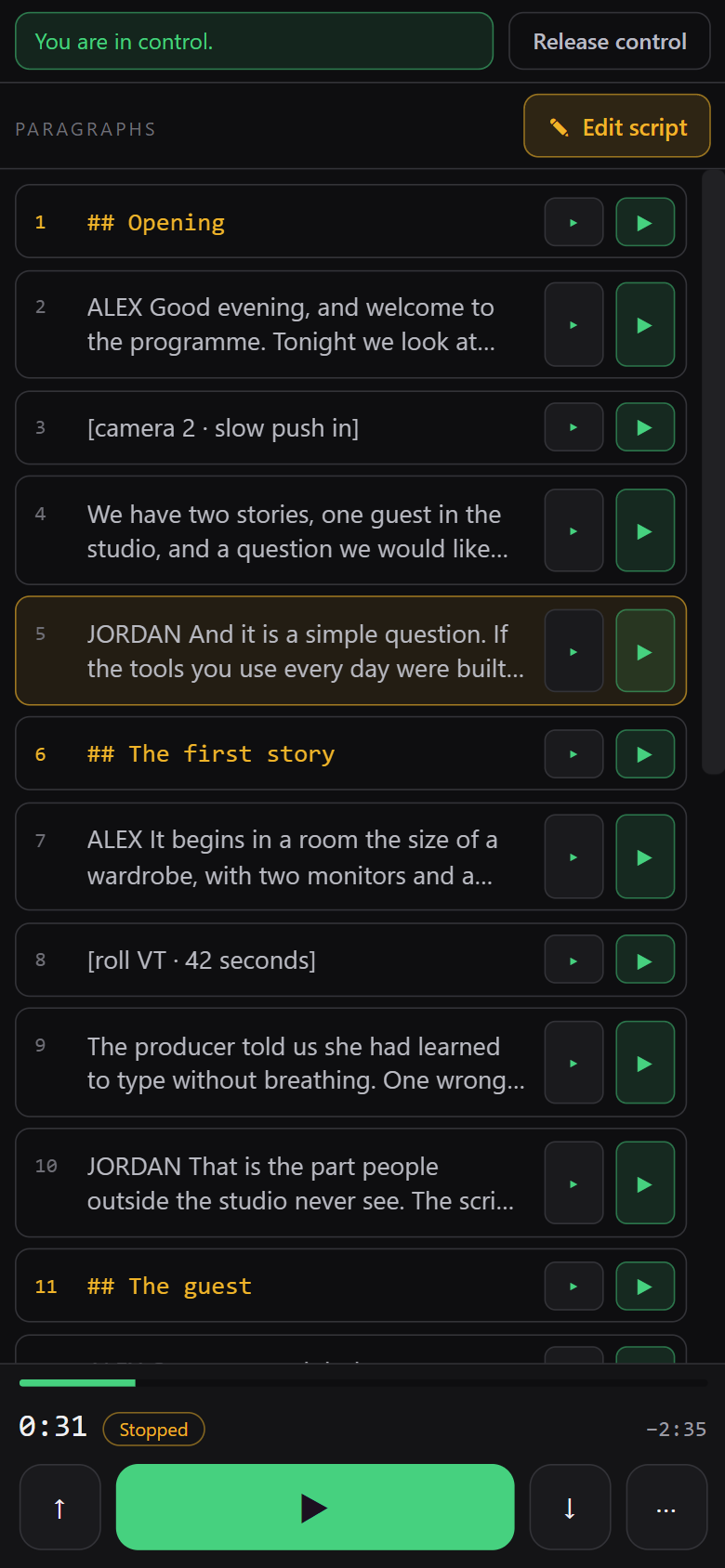
Underundefinedpx of width it is one column: the paragraphs on top, the transport under your thumb. Each paragraph has two keys — ▸ takes the reading to its start, ▶ takes it there and plays. Both travel as the paragraph's identity, not a screen position, so they land where you meant even if the script has moved. The paragraph being read is lit in amber and follows along on its own. The ⋯ key opens the rest: restart, loop, pace, chapter and marker jumps, cards.
Fromundefinedpx up — a laptop, or a phone held sideways — it opens into three columns, with the glass on the right: the reading page itself, embedded, so you correct a line while watching what it does instead of walking over to look.
Editing from there
Tap a paragraph to fix a word or a name. The editor opens in place, with Save and Cancel at the top so they stay clear of the on-screen keyboard.
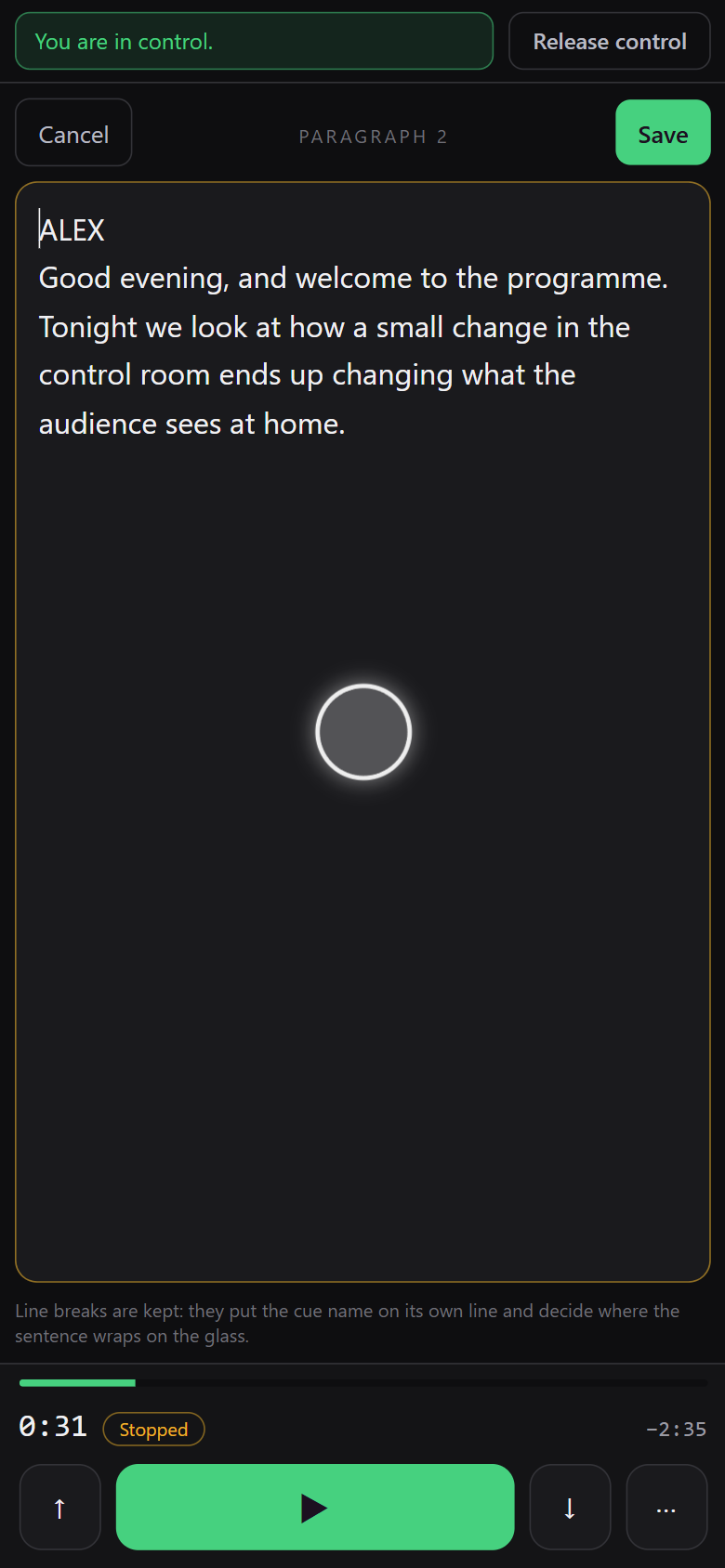
While a paragraph is open, it is highlighted in the operator's editor, so nobody there is surprised by text changing on its own. Edit script opens the whole program at once — the only way to create, merge or delete a paragraph from the network; editing one paragraph only ever changes the text inside it.
The version lock
Your copy carries the version it was opened at. If the script changed at the desk while you were typing, the save is refused — the screen stays open with what you wrote, and it tells you. Nothing is overwritten in silence: copy what you need, cancel, and open it again.
Sound and the port
The key under the transport is the app's own Sound on the network switch — not a local mute — and it carries only the audio of a video card. Each device still decides whether to actually play it, because a browser will not make noise until someone touches it.
Both pages answer on port 7777 unless you change it. Changing it restarts the server, so everyone connected drops and reopens the link.
What it cannot do
By design:
- No blackout. Cutting the presenter's screen from another room is a decision for the desk.
- No appearance. Type, size, margin and colors change what the presenter is reading, so they stay on the machine.
- No files. Save, open, export and new project are not on the network.
- Nothing outside the local network.
Only the actions on an explicit list can come from a device; anything not on the list is refused, so a new command in the app never becomes a network command by accident.